
PKR365 Withdraw — Cash out to your wallet
Finish any bonus play rules first, save your JazzCash or Easypaisa details, then request a withdraw once. Watch My Records for status instead of submitting again.
Before you request
- Finish any bonus play rules (turnover) if you claimed a bonus.
- Save your JazzCash or Easypaisa number in Manage withdrawal.
- Use the correct name and number on your wallet.
- Check the minimum withdraw amount on the screen.
- Use only one account. Extra accounts can cause problems.
Withdrawal steps
- 1Log in and open Wallet.
- 2Tap Withdraw.
- 3Choose JazzCash, Easypaisa, or bank if it is listed.
- 4Enter the amount (at or above the minimum).
- 5Check the details twice.
- 6Enter a withdraw password if the app asks.
- 7Submit once, then watch the status in My Records.
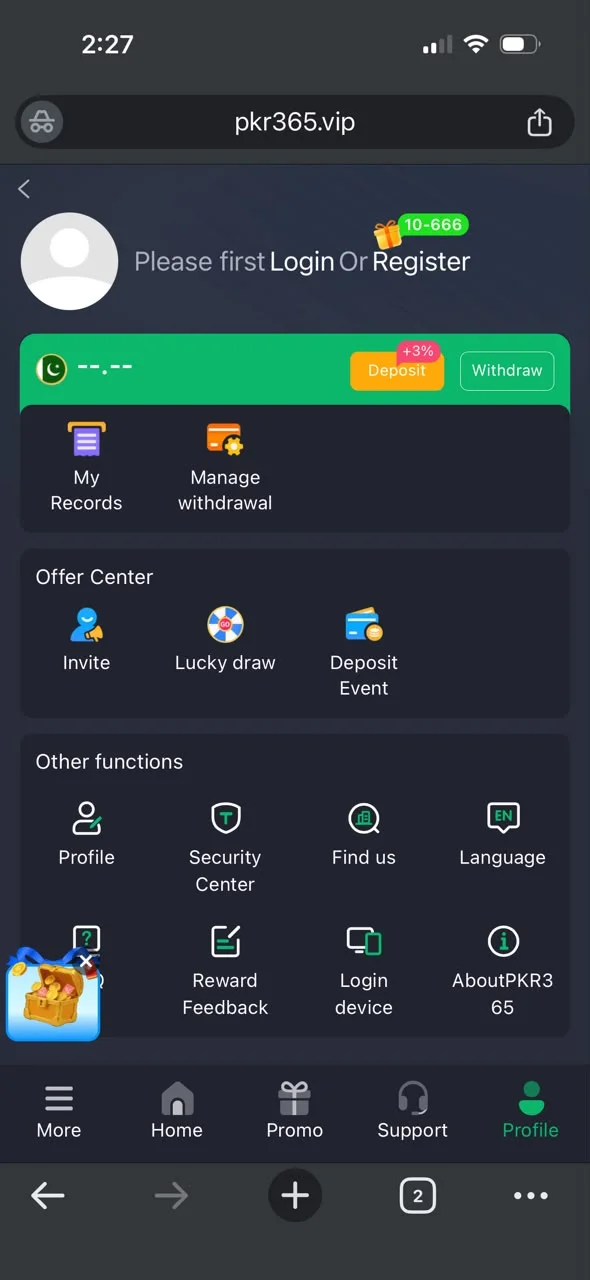
Withdraw and profile screenshots
Real screens from the PKR365 app to help you follow the steps.


Related help
If payout fails, check bonus turnover, wallet number spelling, and Support inside the real app.