PKR365 Deposit — JazzCash & Easypaisa

Log in first, open Deposit in Profile or Wallet, pick JazzCash or Easypaisa, then confirm in your wallet app. Check My Records before you send a second payment.

Deposit steps

  1. 1Log in to PKR365.
  2. 2Open Profile or Wallet and tap Deposit.
  3. 3Choose JazzCash, Easypaisa, or another method shown.
  4. 4Enter the amount. Stay inside the min and max on screen.
  5. 5Check every number carefully.
  6. 6Confirm the payment in your JazzCash or Easypaisa app.
  7. 7Go back to PKR365 and refresh. Do not deposit again yet.

Paid but balance not showing

  • Wait a few minutes and refresh your balance.
  • Open My Records and look for the payment.
  • Keep the JazzCash or Easypaisa SMS as proof.
  • Do not send the same payment a second time.
  • Contact Support with the time, amount, and transaction ID.

JazzCash vs Easypaisa

JazzCash

Good if you already use JazzCash. Type your mobile number carefully. Wait for My Records to update.

Easypaisa

Also common in Pakistan. The same rule applies: the number and name must be correct.

Bank transfer

May appear for larger amounts. It can take longer than wallets. Use only details shown in the app.

Wallet and deposit screenshots

Real screens from the PKR365 app to help you follow the steps.
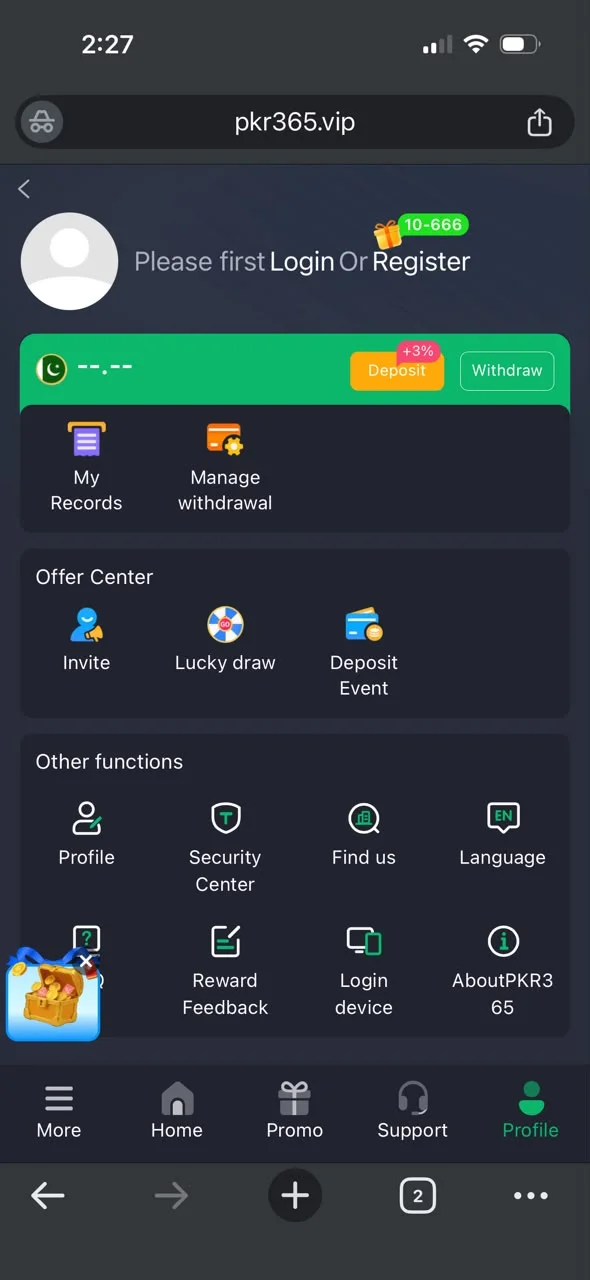
PKR365 profile with deposit and withdraw options
PKR365 wallet and payment related screen
PKR365 lobby after funding an account

Next steps

After a small test deposit, learn withdraw rules so you know how cash-out works before you add more money.